How do I set up fringe?
Set up fringe first on Configure Structures, because every pool after it depends on it. Fringe follows labor everywhere it goes.
Steps
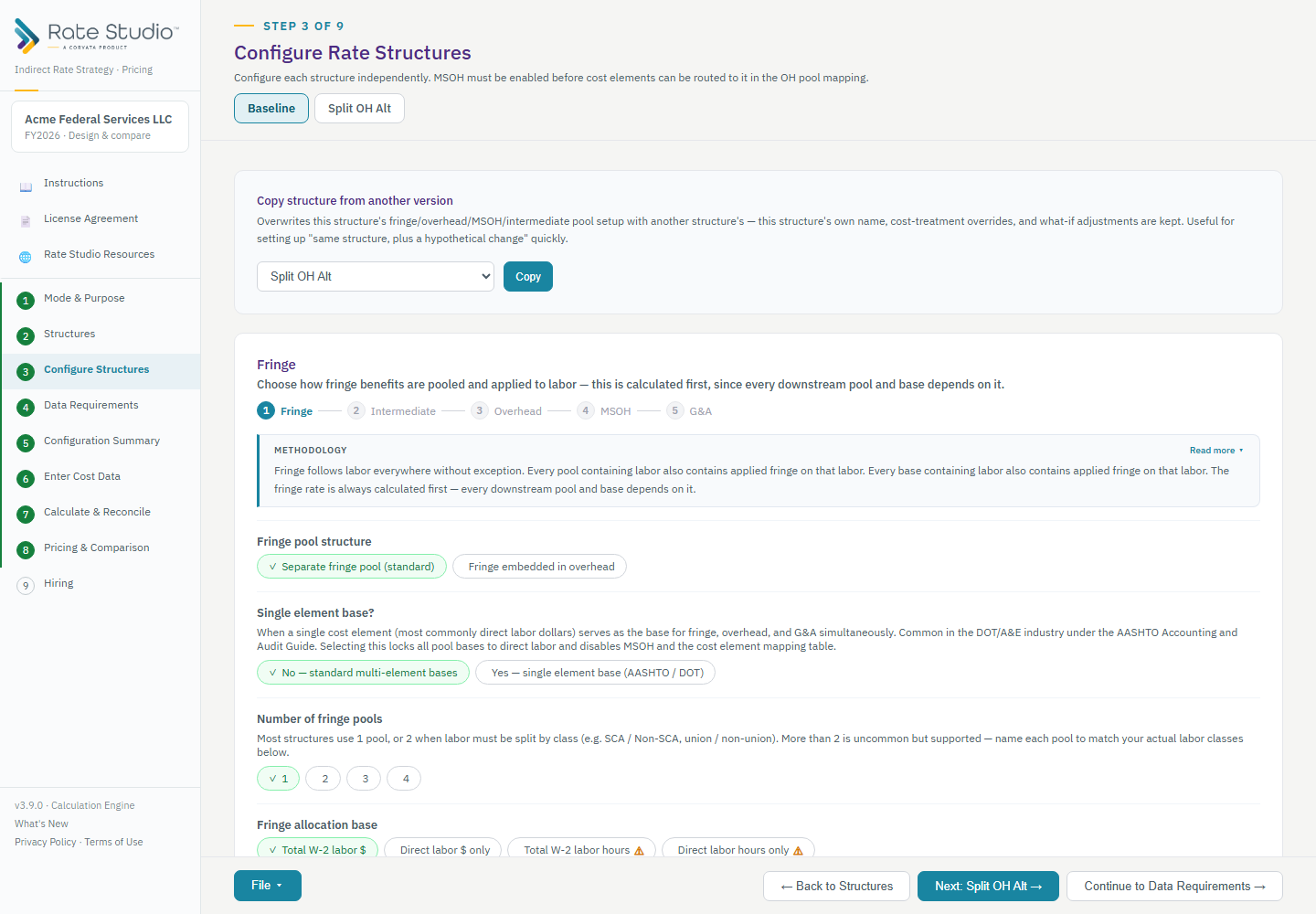
- Open Configure Structures and select the structure's tab. The cards follow the calculation order: fringe, intermediate pools, overhead, MSOH, then G&A.
- Choose how fringe is pooled:
- A separate fringe pool is the standard.
- Fringe embedded in overhead is rare. There is no fringe rate, and the fringe costs sit inside the overhead pool.
- Choose the number of fringe pools. Most structures use one. Use more when labor must be split by class, for example SCA and non-SCA, or union and non-union. Name each pool to match your labor classes. Your plan sets the maximum (see What are my plan limits? (tiers vs. editions)).
- Choose the fringe base:
- Total W-2 labor dollars is the most common.
- Direct labor dollars only is the alternative.
- The two hours-based options need hours from outside the general ledger, so Rate Studio flags them with a warning.
If you split fringe into several pools, other splits are allowed, but the tool asks you to be ready to document the reason.
If this doesn't work: if you can't add another fringe pool, see A mode or option is unavailable on my plan.
Watch: Fringe and intermediate pools, from 0:11
Full guide section: Configure Structures
Related: When should I use more than one fringe pool, and which fringe base should I pick? | How do intermediate pools and allocation drivers work? | How do I set up overhead pools and their allocation bases?