How do I route materials, subcontracts, travel and ODC?
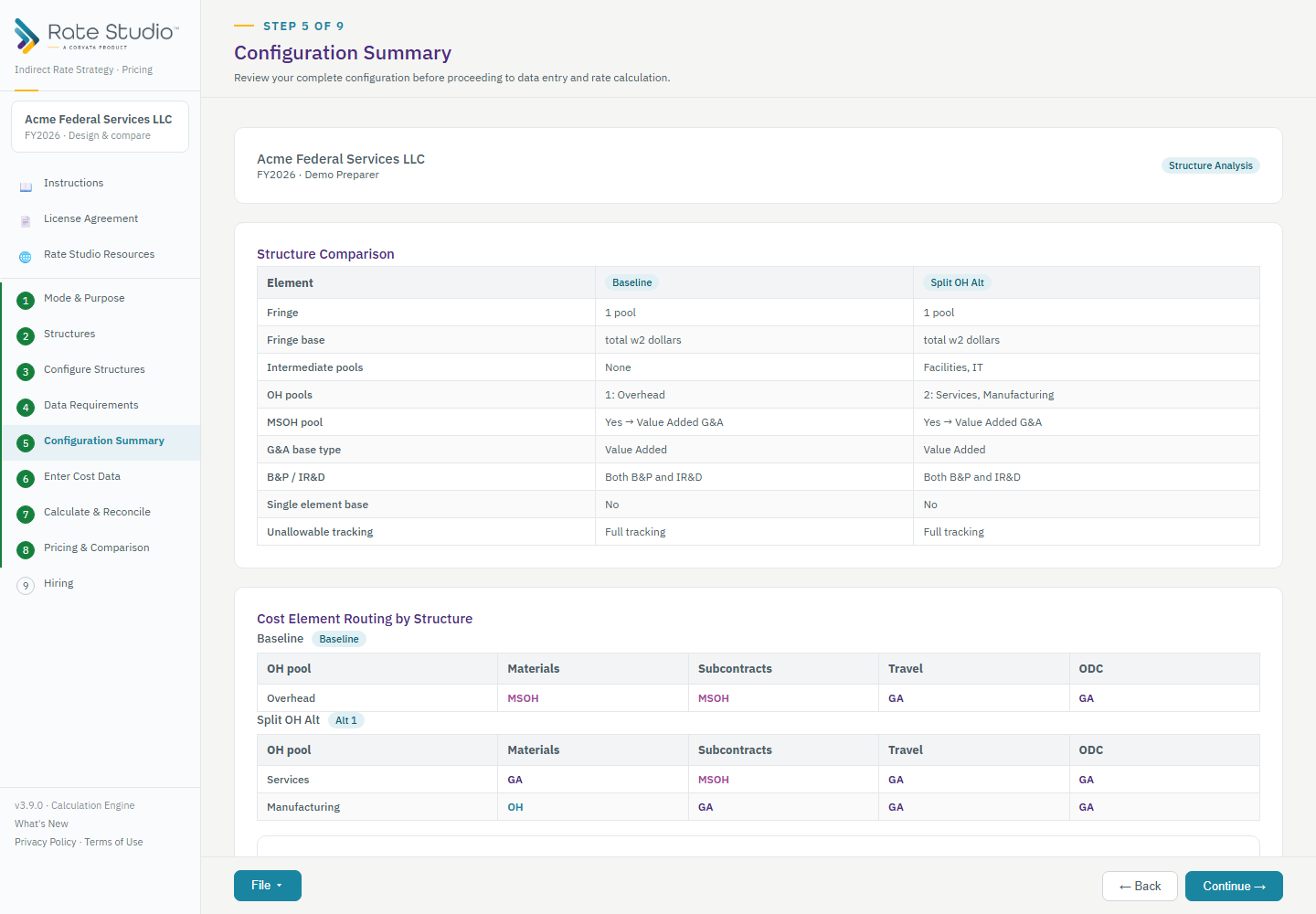
Use the routing table below each overhead pool's base to choose where each non-labor cost flows for that pool. You route materials, subcontracts, travel and other direct costs (ODC), one choice per cost per pool.
Steps
- On Configure Structures, open the structure and scroll to the overhead pool's routing table.
- For each cost, choose one destination:
- OH base: the cost goes in the overhead base and also lands in the G&A base automatically.
- MSOH: the cost goes to the MSOH pool and reaches G&A only through the MSOH pool total, never as raw dollars.
- G&A only: the cost skips overhead and goes straight to the G&A base.
- Scroll to the G&A section to see the base type your routing produced.
The Configuration Summary shows the result for every structure:
Rules to know
- Materials can go to any of the three destinations. Manufacturing usually puts materials in the overhead base; services usually use MSOH.
- Subcontracts in the overhead base is unusual. Rate Studio asks you to confirm and warns that it may be hard to defend in an audit.
- Travel and ODC can never go in the overhead base. That choice is blocked.
- Travel and ODC can go to MSOH only after you enable them as optional MSOH base elements in the MSOH section.
You never choose the G&A base label. With no MSOH it is Total Cost Input. Route costs to MSOH and it becomes Value Added.
If this doesn't work: see MSOH is on but nothing is routed to it.
Watch: Routing materials, subcontracts, travel and ODC, from 0:13
Full guide section: Configure Structures
Related: Should I use an MSOH pool? | How is the G&A base determined? | MSOH is on but nothing is routed to it