How do I build the Cost Rollup by pool?
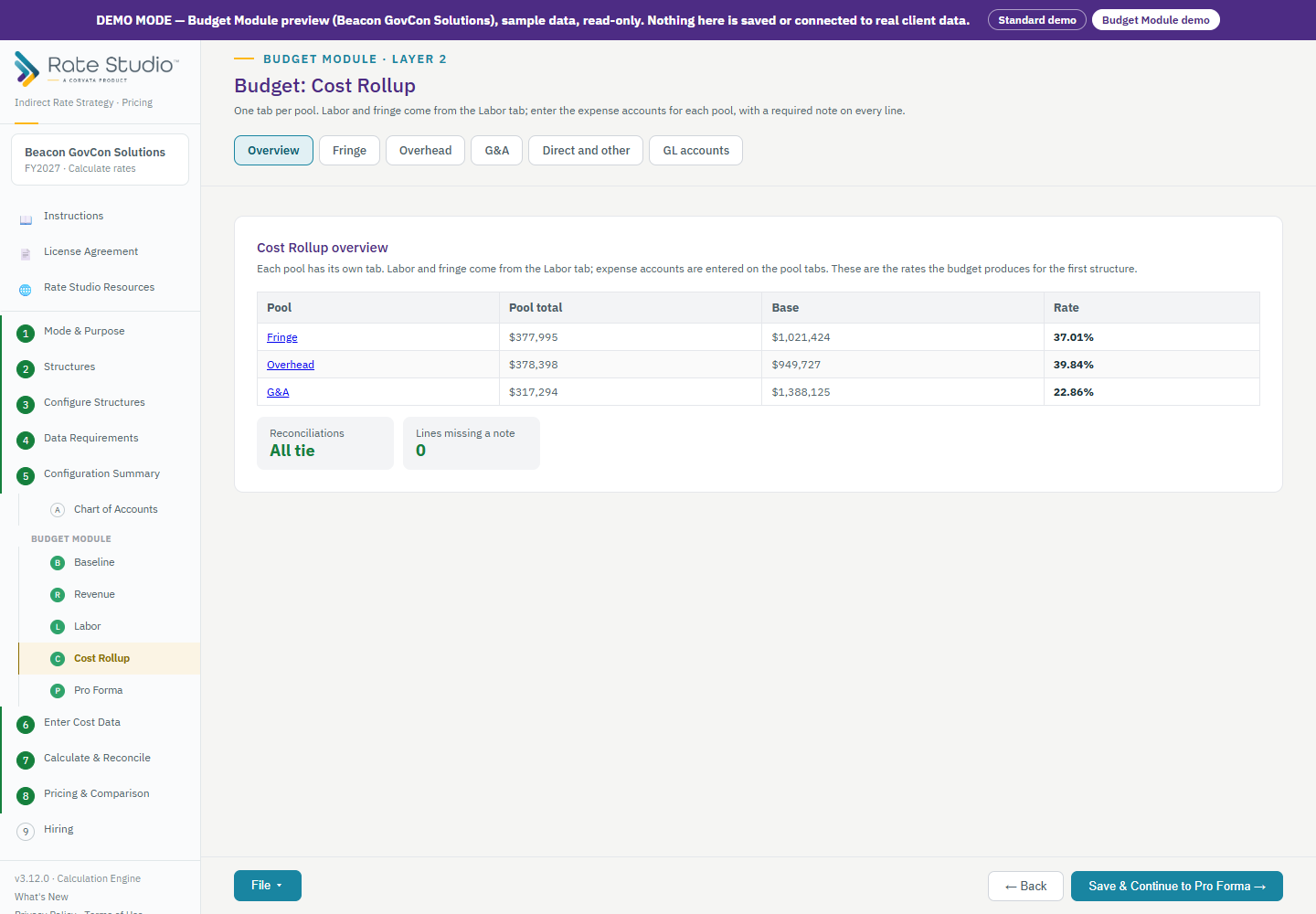
Cost Rollup has one tab for each pool. Together they build the projected expenses for every pool.
Tabs
Overview, Fringe, every intermediate and overhead pool, MSOH when used, G&A, Direct and other, and GL accounts.
Steps
- Open the Overview. It lists each pool, its total, its base and the rate the budget produces, with a reconciliation line that says whether everything ties.
- Open a pool tab. Labor and fringe are locked. They come from the Labor tab, so you cannot change them here by accident.
- If you loaded a baseline, each pool is pre-filled with last year's accounts. The Prior year column shows final actuals. The Current year column shows year to date, annualized, as a recommended amount. Choose Use to copy it into your budget, then change it where you expect something different.
- Add expenses by choosing an account from the chart, or add a new account to the chart.
- Every line needs a note that says why the amount is right. Watch the pool total and its rate update as you go.
- On the Fringe tab, see what the Labor tab produced, in groups. If a real amount differs, adjust it in dollars or percent and explain it in a note.
- Enter direct materials, subcontracts, travel and other direct costs on Direct and other.
If this doesn't work: if the Overview says a pool does not tie, contact support (How do I contact support, report a bug or request a feature?) with your saved file.
Watch: Cost Rollup by pool, from 0:12
Full guide section: Budget Module
Related: How do I map GL accounts and export the budget? | How do I load a baseline (prior year and year to date)? | How do I set up labor rates, benefit classes and paid absences?