How do I set up labor rates, benefit classes and paid absences?
Set your benefit rates once on the Setup tab of Budget: Labor. They apply to every employee.
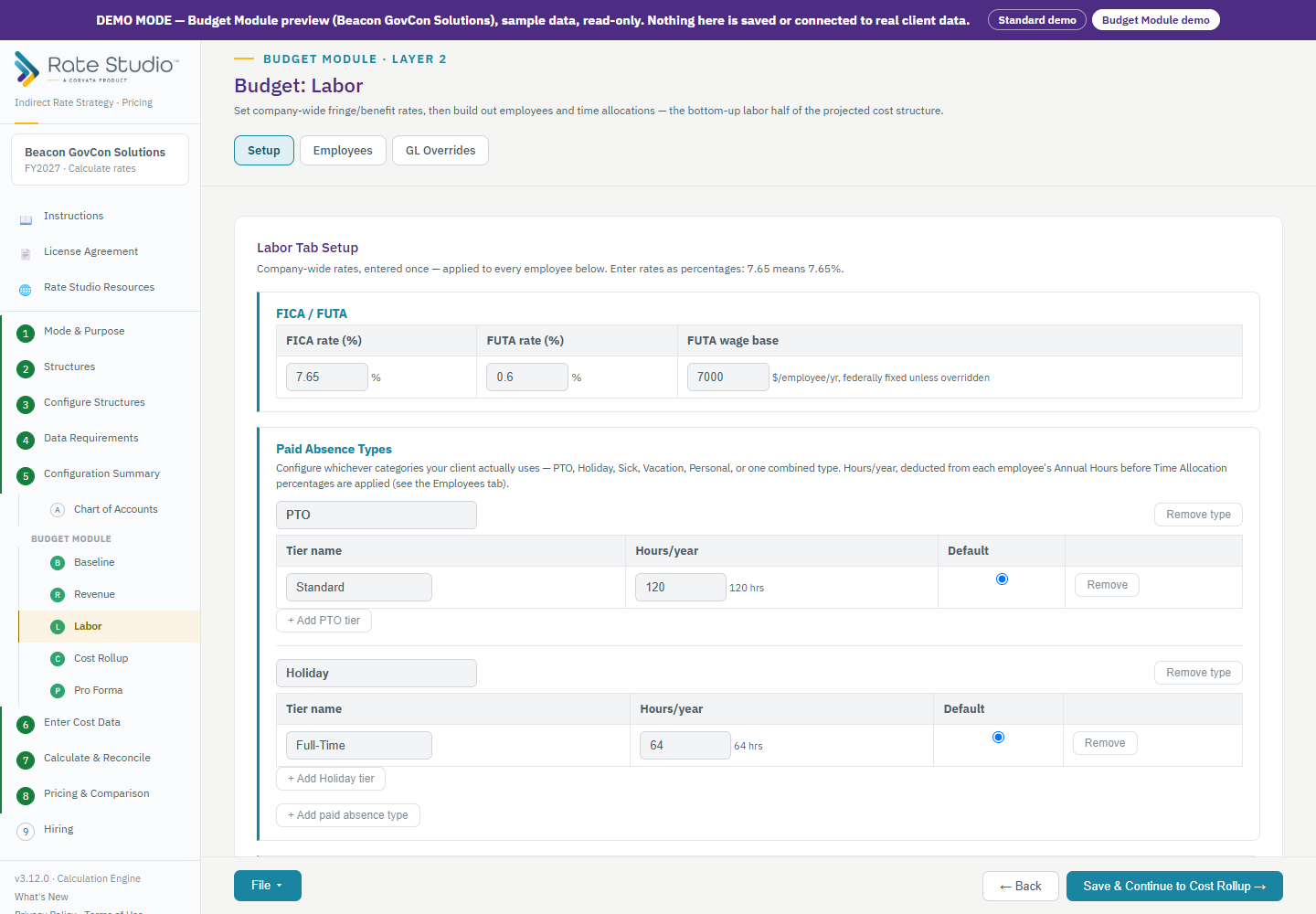
Steps
- Open Budget: Labor and the Setup tab.
- Enter your company-wide rates once, as percentages. Type 7.65 for 7.65%.
- Add your health and dental plans with their monthly cost.
- Define benefit classes, which say which benefits each kind of employee gets.
- Add paid absence types, such as holiday and PTO. These are hours per year that come out of each person's annual hours. The list can be added to and renamed.
- Set up workers' comp by job class and state unemployment rates and wage bases. You can also set an optional dollar cap on the retirement match.
Overtime
Overtime is paid at a multiplier for non-exempt employees, so the cost is right and not just an average rate. See How does overtime work in the budget?.
Next
Load your employees and assign their time (see How do I import employees and allocate their time?).
If this doesn't work: if an employee shows incomplete setup, see An employee shows incomplete setup in Labor.
Watch: Labor, from 0:11
Full guide section: Budget Module
Related: How do I import employees and allocate their time? | How does overtime work in the budget? | An employee shows incomplete setup in Labor