How do I import employees and allocate their time?
Use the Excel template to load your roster, then assign each person's time.
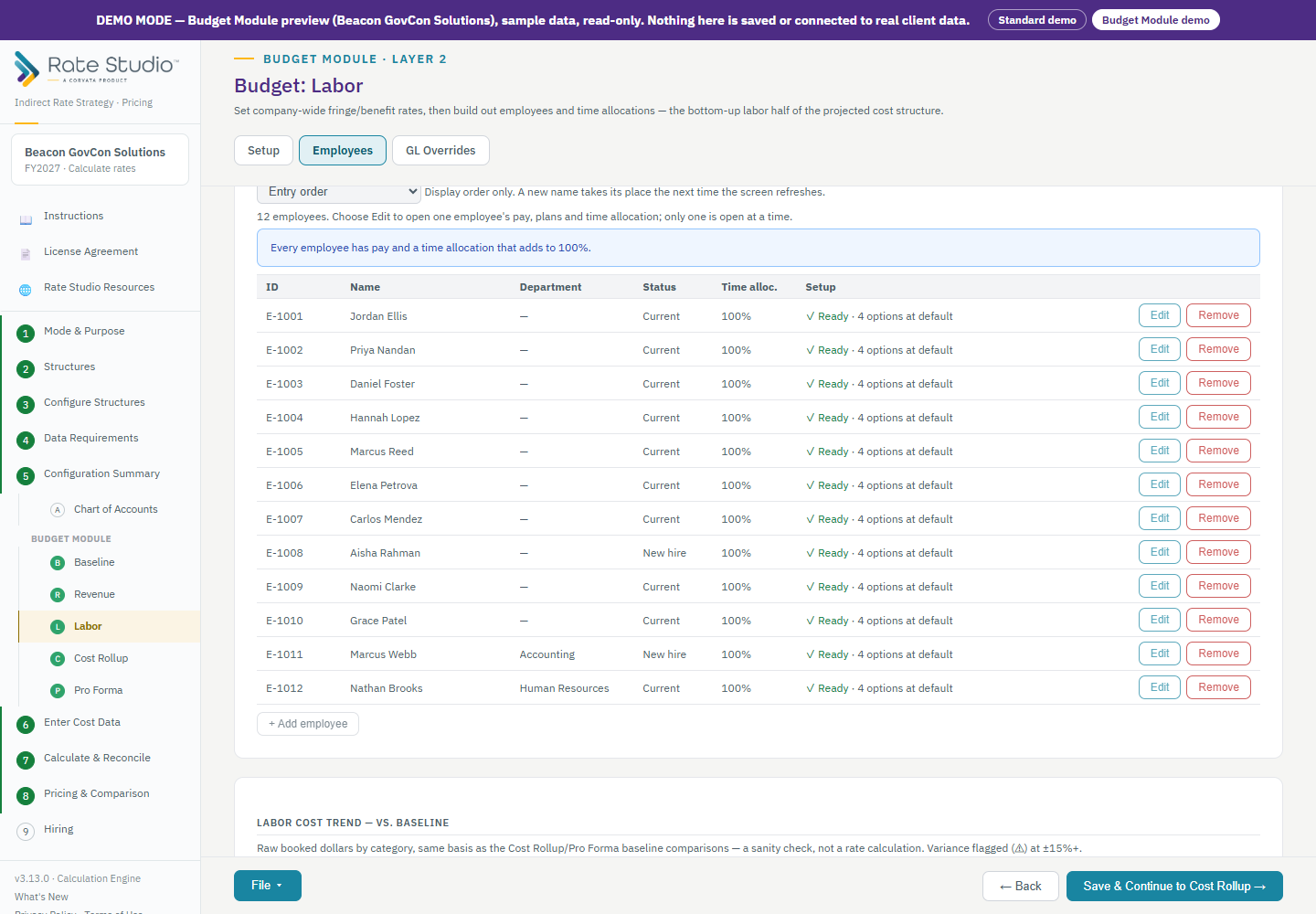
Import the roster
- On Budget: Labor, open Employees and download the Excel template. Its drop-downs and checks follow your own setup, and a Check column flags problems before you import.
- Fill in one row per person. The template includes FLSA Status and Straight-Time OT columns.
- Upload it. Rate Studio builds the table and reports problems by sheet row number.
- You can also Export current employees to Excel, edit the roster in Excel and import it back. Importing replaces the employee table, so keep every employee you want.
Allocate time
Open one employee to see their pay, plans and time allocation. Assign time to a kind of work: direct, overhead, B&P, IR&D, G&A, MSOH or an intermediate pool. For the first four you also choose a business line, such as Services or Manufacturing, which maps to the right pool in every structure.
The percentages must add to 100% of worked hours, which is annual hours minus paid absences.
Benefit options
A warning appears when benefit options are not yet chosen. Those options still calculate with your company default, but each needs a choice. Use Set all unselected to Company default to fill them in one step, or show only the employees that need attention.
If this doesn't work: see An employee shows incomplete setup in Labor for an employee that shows incomplete setup.
Watch: Labor, import the roster from 0:55
Full guide section: Budget Module
Related: How do I set up labor rates, benefit classes and paid absences? | How does overtime work in the budget? | An employee shows incomplete setup in Labor