What is a period, and how do I start a new one?
A period is a complete set of rates for one stretch of time. It has its own cost data, structures, What-If adjustments and account mappings. One saved file holds as many periods as you need, and you work in one at a time.
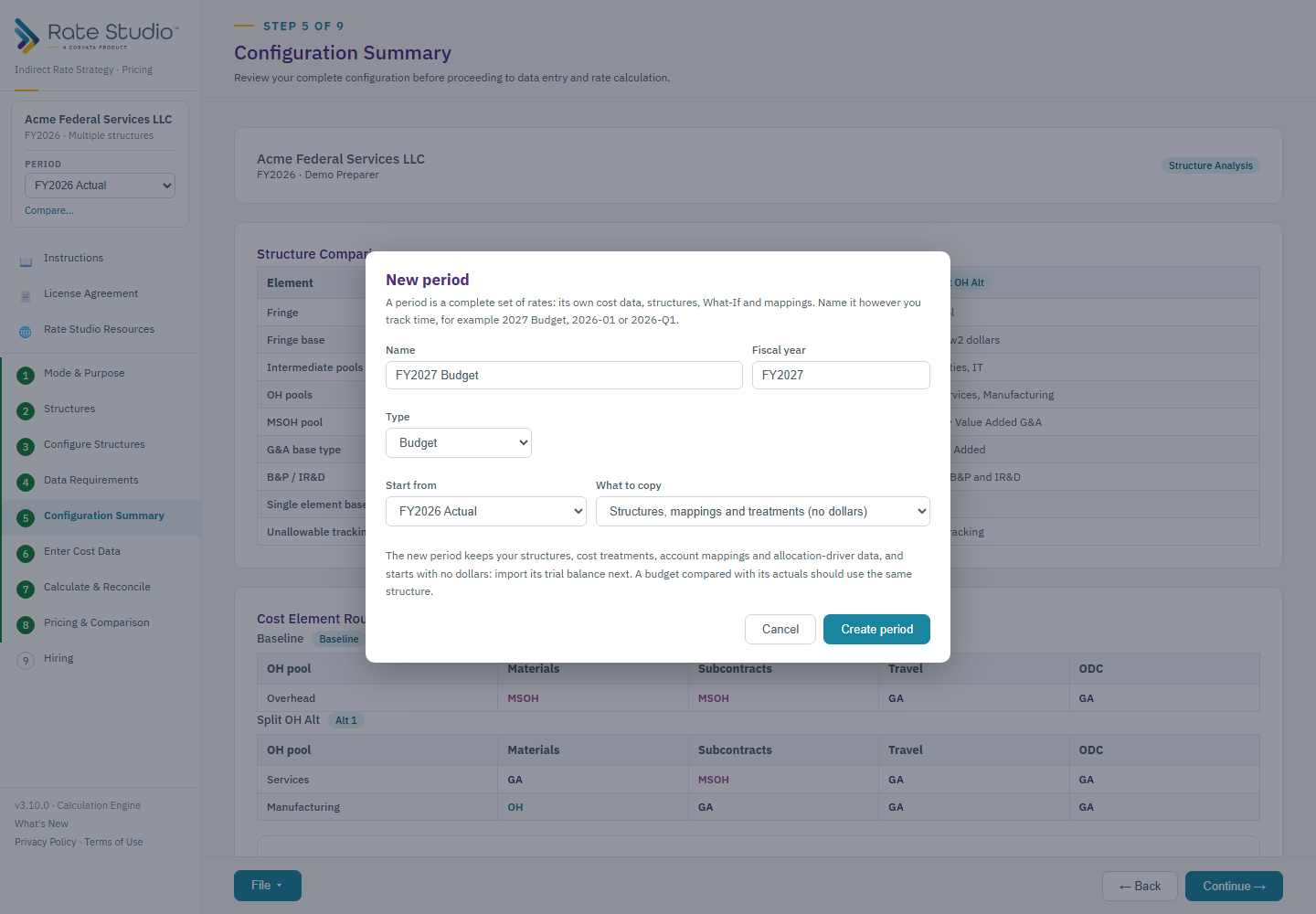
Steps
- In the sidebar, open the Period box under the client name and choose + New period.
- Name it however you track time, for example 2026 Budget, 2026-01, 2026-Q1 or 2026 Annual.
- Choose Budget or Actual. For an actual, you can name the budget it is compared against.
- Choose what to copy:
- Structures, mappings and treatments (no dollars): the normal choice for a new year or month. You keep your pools, bases, cost treatments, account mappings and allocation-driver data, and start with no dollars. Import the new trial balance next.
- Everything, including cost data and What-If: for modeling a budget from a locked one, or trying a change on a copy. The two periods are independent afterward.
- Switch between periods with the selector. Nothing is mixed, and each period shows its own numbers.
Good to know
- Every file starts with one period, named from your fiscal year and data type.
- The company name is shared by every period.
- Structures can differ between periods.
- Reports and exports use the open period and show its name and whether it is Draft or Final.
If this doesn't work: see How do I lock a period as Final, and how do I unlock it? for locking and I can't lock a period if a period won't lock.
Watch: Periods, from 0:26
Full guide section: Periods
Related: How do I lock a period as Final, and how do I unlock it? | How do I compare two periods (budget vs actual)? | How do I reuse last year's configuration for a new year?