What does the Pro Forma show, and what happens when I continue?
The Pro Forma previews your budget as an income statement. There is no separate math for budgets: it uses the same calculation engine as actual data.
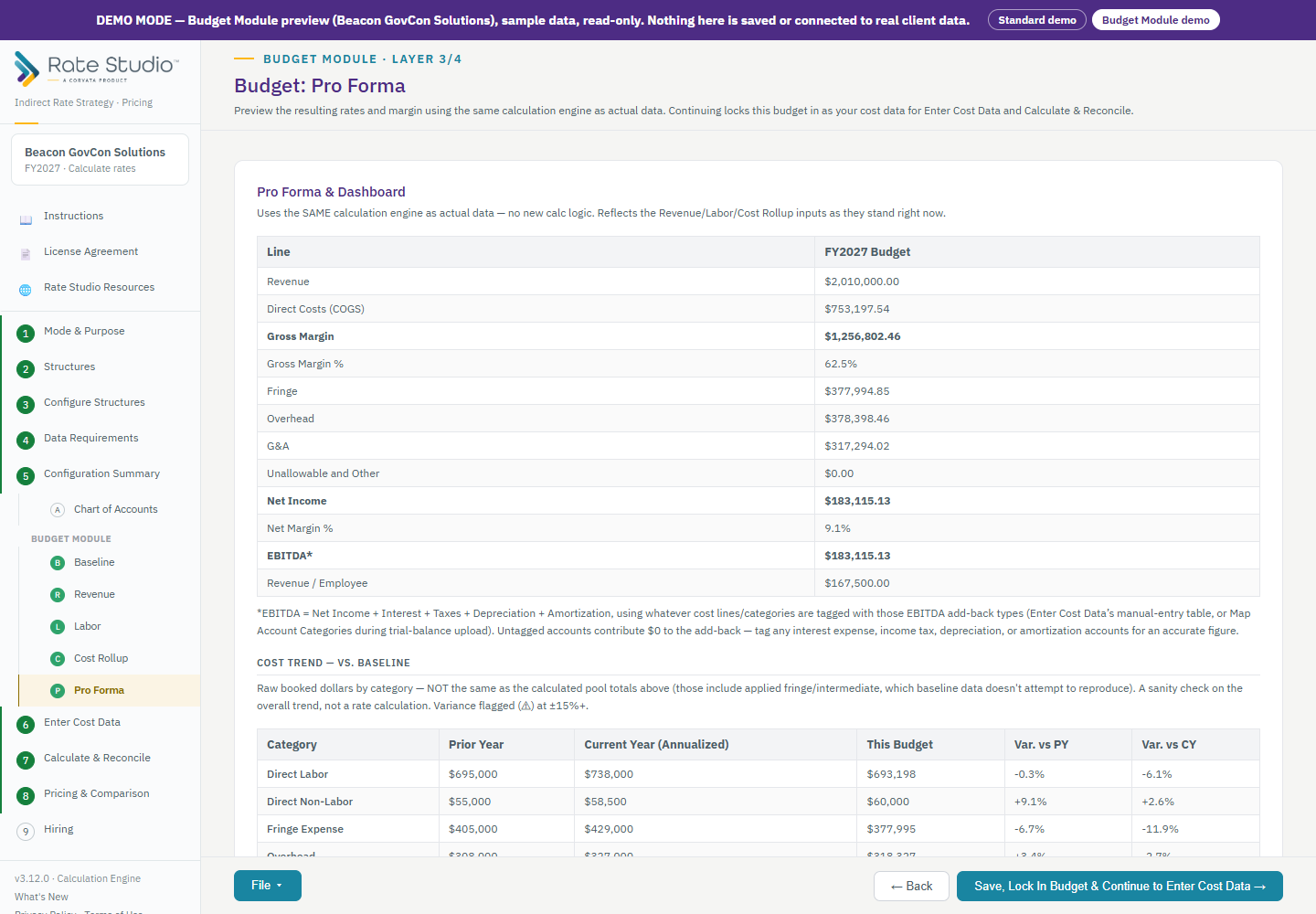
What it shows
- Fringe, overhead and G&A as dollars, with gross margin and net margin below. With more than one structure, each has its own column.
- EBITDA, which adds back interest, taxes, depreciation and amortization using the accounts you tagged. An untagged account adds back nothing (see What is the EBITDA add-back column?).
- A trend card that compares your budget with last year, in raw dollars, when a baseline is loaded.
Reports
For the detail by pool, use the File menu to print a detailed Pro Forma or export it to Excel.
When you continue
Continuing locks the budget in. Your budget becomes the cost data for Enter Cost Data and for Calculate & Reconcile, so you can see the rates, price contracts and test salaries on it.
If this doesn't work: if the EBITDA figure is low, check that the accounts are tagged (see What is the EBITDA add-back column?).
Watch: Pro forma, from 0:10
Full guide section: Budget Module
Related: What is the EBITDA add-back column? | How do I map GL accounts and export the budget? | What is the Budget Module, and when do I use it?