What do the Data Requirements and Configuration Summary screens show?
These two screens turn your structure into a checklist and a final review. Both come before you enter cost data.
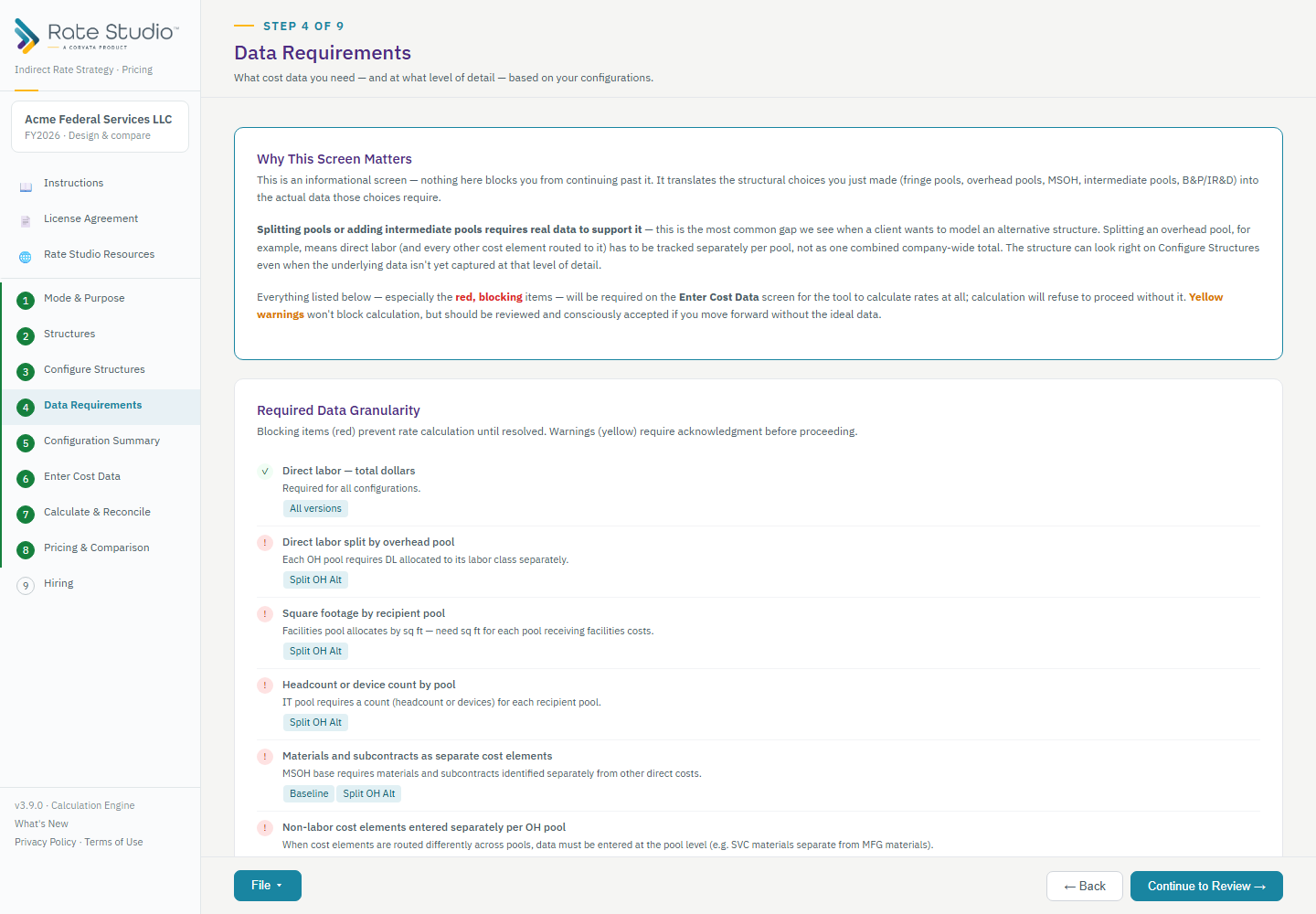
Data Requirements
It lists the data you will need. It is informational, and nothing here stops you from continuing. The more you split your pools, the more detail your cost data needs.
- Red items are blocking. For example, with more than one overhead pool, direct labor must be split by pool. With a Facilities pool, you need square footage for each recipient pool. The tool will not calculate until you provide them.
- Yellow warnings do not block, but you should review them. For example, hours from a timekeeping system come from outside the general ledger.
- Each structure gets its own summary: its pools, its G&A base type and the data it needs.
If a red item can't realistically be supported with data, reconsider the structure now.
Configuration Summary
Your last review before data entry.
- The company name and fiscal year are at the top.
- Structure Comparison lists every choice side by side: fringe, intermediate pools, overhead pools, MSOH, the G&A base type, B&P and IR&D, and unallowable tracking.
- Cost Element Routing shows where materials, subcontracts, travel and other direct costs go for each pool: overhead, MSOH or G&A.
It is also a good checkpoint to save (see How do I save my work?). If something looks wrong, go back and fix it before entering data.
If this doesn't work: see Calculation is blocked: what data is missing? if calculation is blocked later.
Watch: Data requirements and the configuration summary, from 0:11
Full guide section: Data Requirements and Configuration Summary
Related: Calculation is blocked: what data is missing? | How do I route materials, subcontracts, travel and ODC? | How do I save my work?