Calculation is blocked: what data is missing?
A Data Sufficiency card means your structure needs data you haven't entered yet. Rate Studio will not calculate a rate on incomplete data.
What you see
Instead of the Rate Summary, Calculate & Reconcile shows a Data Sufficiency card that lists exactly what to add.
- Red items are blocking. Nothing calculates until they are provided.
- Yellow warnings do not block, but review them. For example, hours from a timekeeping system come from outside the general ledger.
Common red items
The more you split your pools, the more detail your cost data needs. For example:
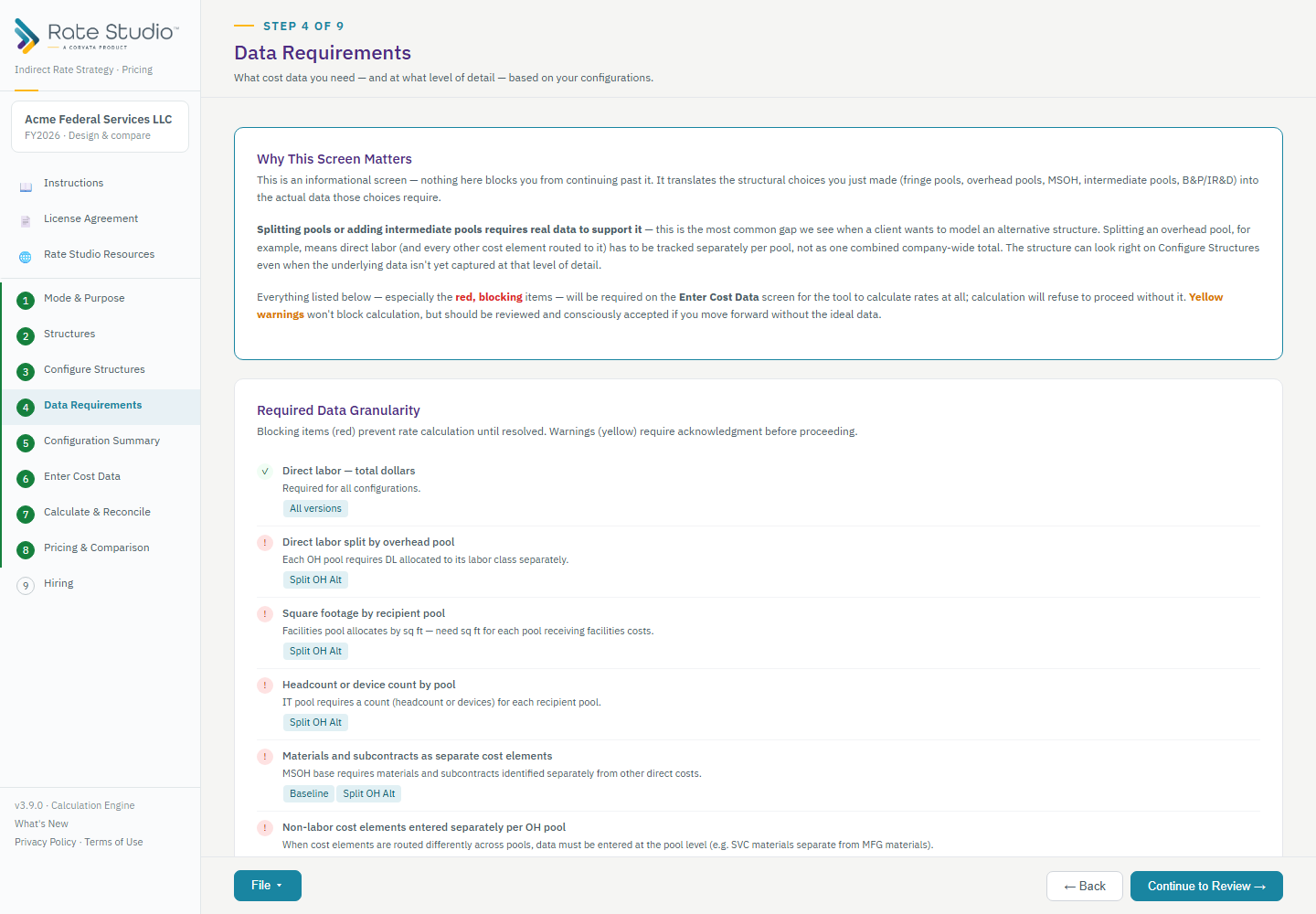
- With more than one overhead pool, direct labor must be split by pool.
- With a Facilities pool, you need the square footage for each recipient pool (see How do I enter intermediate pool allocation data?).
How to fix it
- Open Enter Cost Data and add each red item. The Data Requirements screen lists them before you start (see What do the Data Requirements and Configuration Summary screens show?).
- Return to Calculate & Reconcile. The card clears once everything is provided.
If this doesn't work: if a red message instead says cost data is not used by a structure, see 'Cost data not used by this structure' red message. Otherwise contact support (How do I contact support, report a bug or request a feature?) with your saved file.
Watch: Data requirements and the configuration summary, from 0:28
Full guide section: Data Requirements
Related: What do the Data Requirements and Configuration Summary screens show? | 'Cost data not used by this structure' red message | How do I enter intermediate pool allocation data?