How do I test a cost-type contract price?
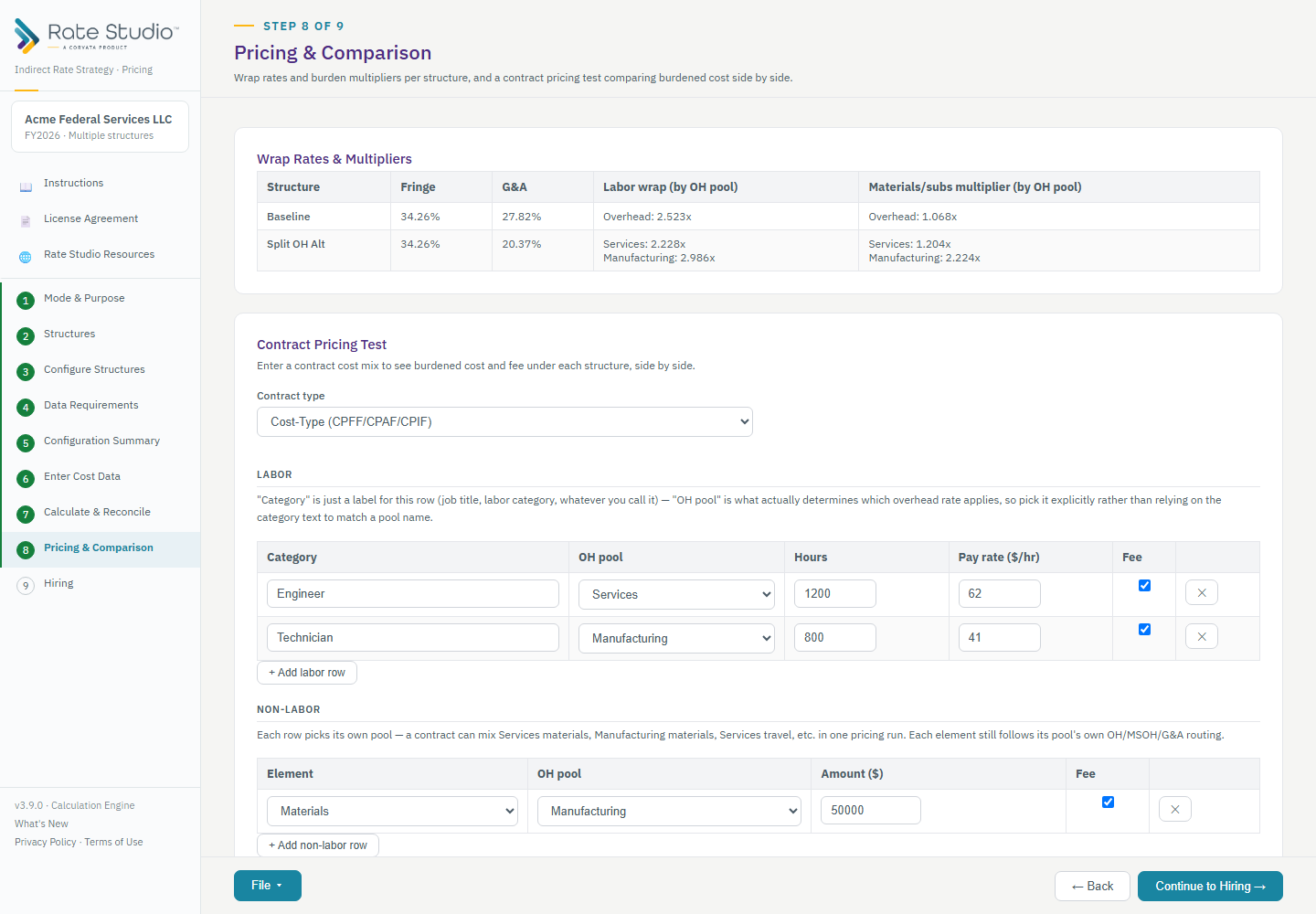
Pricing & Comparison tests one contract cost mix across every structure at once. Since version 3.22.0 the screen covers contract pricing only. The rates and cost multipliers are on Calculate & Reconcile (see What are cost multipliers?).
Steps
- Open Pricing & Comparison and choose the contract type Cost-Type (CPFF, CPAF or CPIF).
- Enter the labor you expect to use. Each row has a category label, an overhead pool, the hours and the pay rate. The pool decides which overhead rate applies, so choose it on purpose.
- Add non-labor costs, each with its own pool. Every labor and non-labor row picks its own overhead pool, so one contract can mix pools freely.
- Enter the fee percent. The tool warns you if the fee exceeds 10% or 15%. These warnings do not block.
- Calculate. You get a three-section waterfall (labor plus burden, ODCs plus burden, fee), with burdened cost, fee and total price for each structure side by side.
- Open the detail to see exactly which fringe, overhead, MSOH and G&A rates were applied to each row, and the dollars each added.
Export to Excel or PDF from the File menu.
If this doesn't work: if Pricing is blocked, see 'Cost data not used by this structure' red message.
Watch: Pricing and cost multipliers, choose a contract type from 0:54
Full guide section: Pricing & Comparison
Related: How do I price a fixed-price contract? | How do I build time-and-materials billing rates? | What are cost multipliers?